
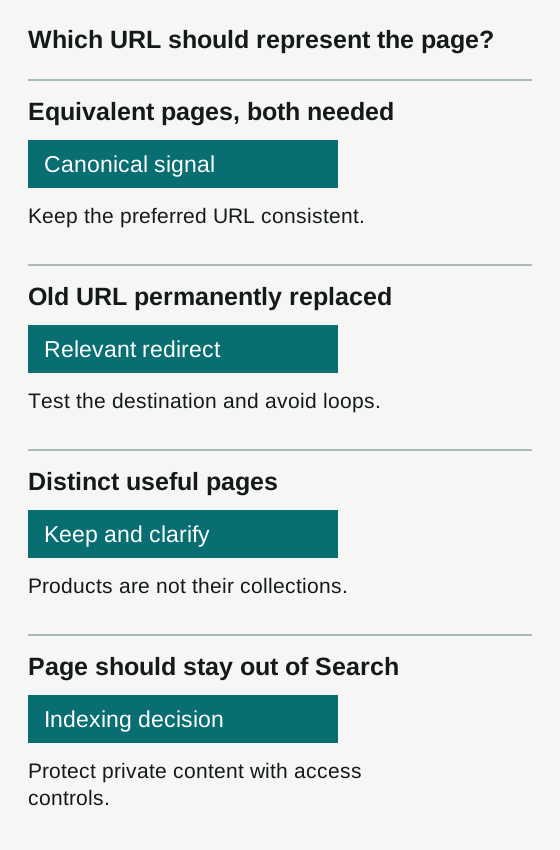
Similar URLs are often a normal website condition, not a penalty. Consolidate genuinely equivalent pages with appropriate redirects or canonical signals, and keep internal links consistent. Do not canonicalize a distinct product to a collection simply because they share wording.
Two URLs showing the same page are not automatically a penalty. They are a reason to check which URL should represent that content.
Google selects a canonical from pages it considers duplicate or very similar. Your preferred URL is a signal in that process, not a command. The practical question is whether the selected page is the right one for customers and your site.
Identify the kind of duplication
Start with examples, not a site-wide replacement rule. Gather the affected URL, its preferred counterpart, response status, canonical tag, internal links and sitemap entry. If you have Search Console access, record the Google-selected canonical and the date of the indexed information.
| Situation | Appropriate starting point | What to verify |
|---|---|---|
| Tracking parameters show the same product | Canonical to the clean equivalent URL | The same product and content remain available |
| An old article has moved permanently | Redirect to its actual replacement | The destination answers the same need |
| Two distinct products share manufacturer copy | Improve their distinguishing information | Each product can still have its own useful page |
| A filtered collection serves a useful buying need | Evaluate it as a distinct landing page | Product selection, intent and page value differ |
| A utility page should not appear in Search | Consider noindex while allowing crawling | The page is not private; access controls protect private content |
A matching title alone does not prove two pages are duplicates.
Canonicals are for equivalent content
Suppose the same blue backpack appears at a clean product URL and at that URL with a campaign parameter. A canonical pointing to the clean product URL can express your preference while both links continue to work.
A collection of backpacks is different from one backpack’s product page. Do not canonicalize the product to the collection because both mention backpacks. That discards the distinction the buyer needs.
Google’s canonical guidance explains the available signals. Keep your canonical, internal links and sitemap consistent. Use an absolute canonical URL that resolves successfully and represents the equivalent content.
Redirect when the old address is no longer needed
If an article has permanently moved, a direct permanent redirect helps visitors and search systems reach the replacement. Check that the destination is relevant and that the redirect does not loop or pass through unnecessary intermediate URLs.
Do not redirect every deleted product or article to the homepage. When no useful replacement exists, an honest not-found response may be the appropriate result. See Google’s redirect documentation.
Treat filters and archives deliberately
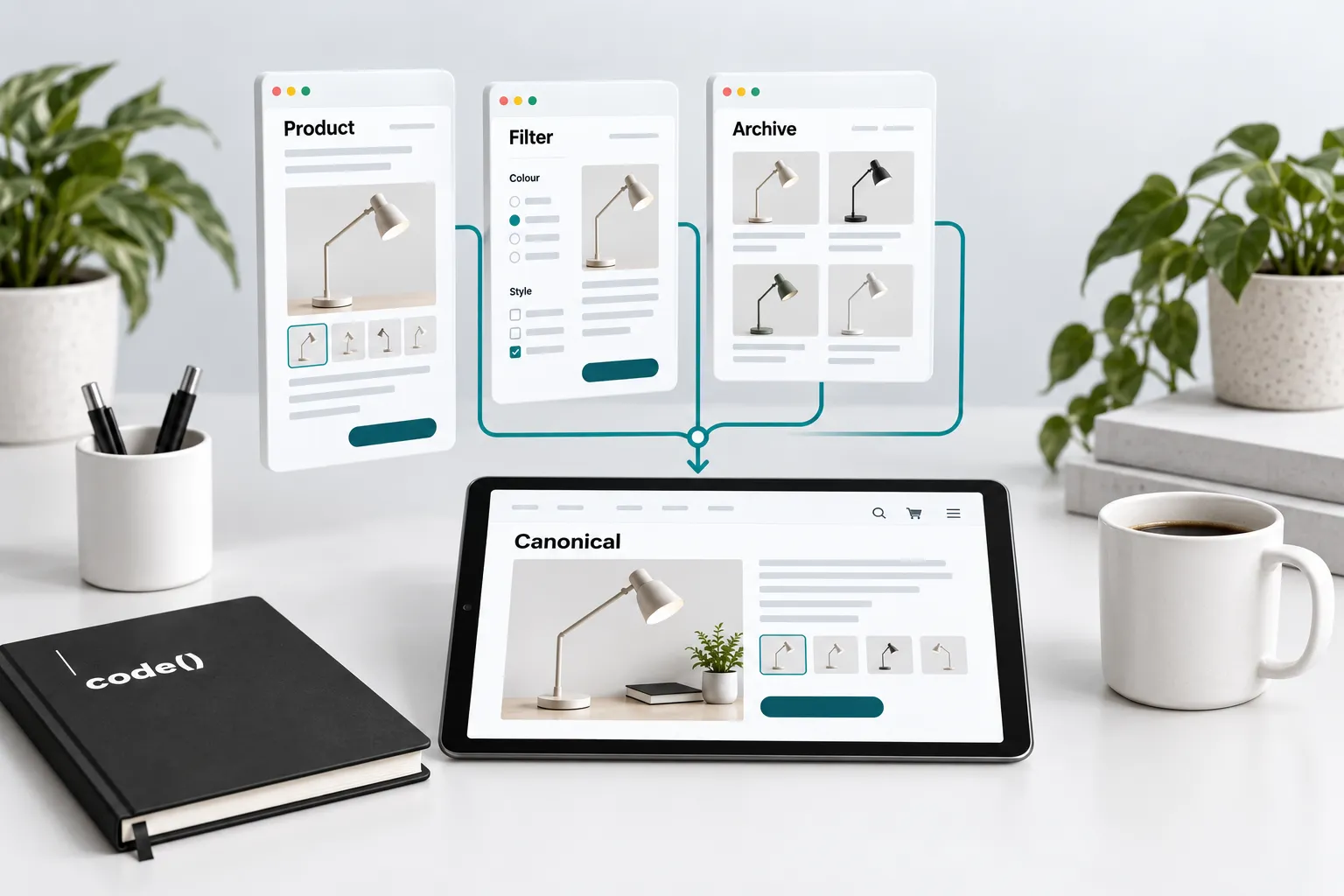
A sort order may present the same collection differently. A carefully selected product subset can answer a different buying question. Inspect representative URLs before deciding how a filter family should be crawled or indexed.
Do not combine robots blocking, noindex and canonical tags indiscriminately. A crawler generally needs access to read a page’s indexing and canonical instructions. Google’s faceted navigation guidance discusses crawl management for large parameter spaces; that is a different question from choosing a representative among equivalent pages.
Syndicated articles need an explicit agreement
When another publisher republishes an article, agree which copy should be eligible for Search before distribution. For syndicated material, Google does not recommend relying on a canonical annotation to prevent duplication. Ask the partner about appropriate indexing restrictions and clear source attribution.
That is a publishing agreement, not a tag you can add to someone else’s website.
Check the correction
After changing one representative URL, inspect its response, canonical, links and sitemap. Test the customer journey too. Then inspect the relevant Search Console result after Google has had a chance to recrawl; the live test does not predict Google’s eventual canonical choice.
Keep a simple record: affected URL, intended representative, reason, change, test result and follow-up date. Use the canonical debugging walkthrough for a step-by-step investigation.
For repeated problems, fix the template, app or routing rule that creates them rather than editing hundreds of pages individually. Technical SEO should leave a consistent site behind, not a spreadsheet full of exceptions.
A completed URL comparison
These are illustrative URLs, not results from a customer website.
| Check | Parameter copy | Preferred product page |
|---|---|---|
| URL | https://example.com/products/blue-bag?campaign=email | https://example.com/products/blue-bag |
| Content | The same blue bag | The same blue bag |
| Response before correction | 200 | 200 |
| Declared canonical before correction | Parameter URL itself | Clean product URL |
| Discovery conflict | Category links to the parameter copy | Sitemap lists the clean URL |
| Correction | Declare the clean equivalent as canonical; update category link | Keep the clean page accessible and self-canonical |
| Immediate retest | Both pages load; both canonical declarations identify the clean URL | Category link and sitemap use this URL |
| Google-selected canonical | Inspect after a later crawl; not established by the live retest | Record the actual result and crawl date |
If the clean URL redirects, fails to load or describes a different item, stop: it is not yet a suitable representative. A parameter that selects a materially different variant also needs its own assessment. Do not apply this example to every parameter by pattern alone.
Download the canonical inspection sheet. Open the CSV in a spreadsheet, retain the labelled examples for reference and add one row per pair. Keep live checks and later indexed observations in separate columns.
Sources
- selects a canonicaldevelopers.google.com
- canonical guidancedevelopers.google.com
- redirect documentationdevelopers.google.com
- faceted navigation guidancedevelopers.google.com
- does not recommend relying on a canonical annotationsupport.google.com